Be yourself; Everyone else is already taken.
— Oscar Wilde.
This is the first post on my new blog. I’m just getting this new blog going, so stay tuned for more. Subscribe below to get notified when I post new updates.
Be yourself; Everyone else is already taken.
— Oscar Wilde.
This is the first post on my new blog. I’m just getting this new blog going, so stay tuned for more. Subscribe below to get notified when I post new updates.

The textile industry, as the world’s third largest water-consuming industry, has the highest score in all industries, not less than 20%, in terms of water pollution. Considering that colored fabrics are dyed, white fabrics are bleached, printed textiles need to be steamed and dried to fix, and then remove excess ink, which should not be a surprise.
When turning to digital textile printing – by investing in dye sublimation and paper transfer technology – printing companies immediately experienced a significant reduction in water and energy use. The digital printing process saves at least 60% of the water consumption compared to the traditional six-color printing process. If all the running rice of all printed textiles in the world shifts from traditional printing to digital printing, we can save up to 760 billion liters of water, which means enough water can fill 300,000 Olympic swimming pools. And that’s not all. It can also save up to 800 million cubic meters of natural gas and 1,000 kilowatt hours of electricity.
Not only does digital printing require less resources, water and energy than conventional textile printing, even at a higher printing quality, but it also enables on-demand production – a key benefit for the fashion industry. No more worries about small batches or personalised variations. As a designer, this frees your creativity, and as a manufacturer, it lets you print just what you need, when you need it. Digital production shortens time-to-market and reduces business risk, but by digitally printing near their buyers, they also greatly reduce the cost of transportation too. Right now, up to 60% of all traditional textile production happens in Asia. With digital printing on the rise, a geographical shift is to be expected.

Addressing the environmental challenge
The adoption of digital printing technology is steadily growing. This should not come as a surprise, given all the benefits it brings. As mentioned above, digital textile printing helps produce more efficiently while reducing the environmental impact. In addition, the development of advanced eco-friendly inks is further boosting sustainability in the textile industry.
We strive to educate our clients on our sustainability initiatives and on how our products can help them reduce their own environmental impacts. This is a way, we believe, that we can all work together to protect this fragile planet.

The easy answer is that dyes are soluble, while pigments are insoluble. So much for easy answers! When we scratch beneath the surface, differences between these two classes of colorants are much more complex.
Pigments and dyes also differ in chemical composition and particle size, lightfastness and longevity, heat and chemical resistance, as well as range of product offerings and color gamut. These characteristics should be important to sign maker, screen printers and digital printers as well as to the serious artist, because it affects image reproduction and product durability.
To make paint, such as the paint used in the sign industry or artist’s oil paints or a pigment ink used in wide-format printers, the pigment powder is mixed with a resin or binding medium. The solid particles never dissolve. Instead, the particles are dispersed and suspended in their resin.
While the particles of pigments and the particles of resin are physically mixed together, there is no chemical combination. This suspension or mixture is referred to as a colloid. Technically speaking, the particles of pigment are so small that they remain suspended in the mixture do not settle to the bottom. In the real world, always mix your sign paints before use.
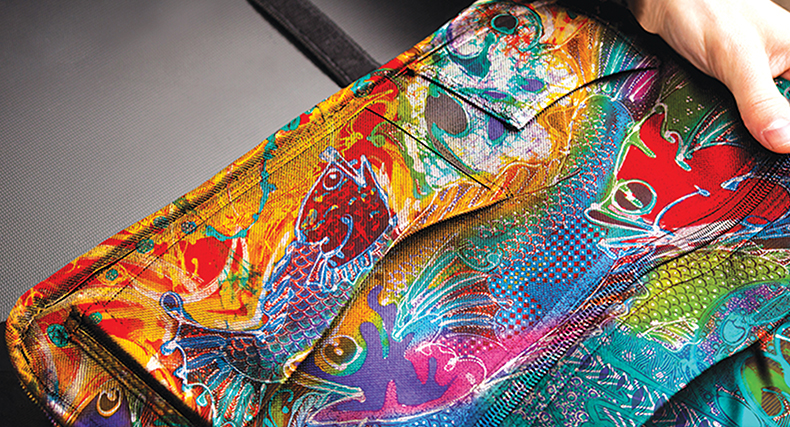
Main differences between Dye-based ink and pigment ink:
| Dyes | Pigments | |
| Solubility | Soluble in many liquids | Insoluble in water and most of the solvents |
| Number | Available in large number | Comparatively lesser in number |
| Lightfastness | Lower dyes are very much vulnerable. Lights destroy colored objects by breaking open electronic bonding within the molecule | Traditionally pigments have been found to be more lightfast than dyes |
| Product resistance | Lower as compared to pigments | Very high |
| Size | Dye molecules are comparatively smaller; it’s like comparing a football (pigment) to say a head of a pin (dye) | Pigment particles are about 1-2 microns in size. It means that the particles can be seen under a magnifying glass |
| Bonding | Dye molecules have electrostatic charges that serve as a method for attaching the dye to the concrete | Pigment requires the help if a binder for gluing. As it is an inert substance which si merely suspended in a carrier/binder |
| Imparting colors | Dyes can impart color by selective absorption of the dyes | Pigments impart colors by either scattering of light or by selective absorption |
| Combustible Properties | Combustible | Non-combustible |
| Chemical Composition | Organic compounds | Normally inorganic compounds, often involving heavy toxic metals |
| Longevity | Do not last as long as pigments | Last longer than dyes |
Pigments are generally classified into two broad categories: inorganic and organic. In comparing the two groups of pigments we can make the following generalizations:
Inorganic pigments are generally more opaque, providing greater hiding power than organic pigments.
Organic pigments are usually brighter than inorganic pigments.
Inorganic pigments are generally more fade resistant and chemical resistant than organic pigments.
Listed below are several characteristics which distinguish pigments from dyes:
Insoluble in water and most solvents. Particulate structure is generally unaltered when combined in ink and paint formulations. Rather than dissolving, the particulates remain in suspension in the liquid vehicle.
Fewer available pigments compared to the much wider range of dyes available. In part, this results because dyes are in greater demand, being used widely in fabric decoration, food coloring and cosmetics, as well as having applications in the paint and printing fields.
.jpg?lang=en-GB)
Limited color gamut compared to dyes. Traditionally, pigments produce less vibrant colors. However, today’s digital printers, which feature expanded ink sets of six or more colors, produce vivid color reproduction which rivals dye-based digital inks. The advantage is that printing today can be as beautiful as it is durable.
Typically, pigments are also more lightfast than dyes, especially when subjected to the extremes of an outdoor environment. Exterior applications subject colorants to more intense UV light combined with elevated temperatures, humidity, and air pollution.
Significantly larger particle size than dye molecules. The larger size of pigment particles may provide better durability, yet may present clogging problems in digital printing.
Adhesion to the substrate requires a binder or adherent. By comparison, dyes often are absorbed by the substrate, such as paper or wood, and often will adhere without any type of binder.

Digital printing technology is a general term for inkjet printing technology, which is more widely used in the textile industry than traditional printing and dyeing technology. With the increasingly diversified development trend of customers, the fabric of grey fabrics or garment printing has developed from large-scale production to small-volume, multi-variety and individualization. The digital printing technology not only has high-quality printing effect, but also meets the needs of customers for small batches and personalized printing. The flexible printing and dyeing enterprises can continue to develop in the fierce market competition.
As an emerging printing method, digital printing technology has satisfied the market’s increasingly diverse mid-to-high end demand and increased the diversity of the textile printing and dyeing industry by virtue of its high efficiency, low proofing cost, good printing effect and less pollution.

Today, environmental protection policies are becoming more and more stringent, and the traditional printing and dyeing industry is suffering. According to the statistics of relevant departments, the daily discharge of printing and dyeing wastewater in China is 3 million to 4 million cubic meters, accounting for 35% of the total discharge of industrial waste water in the country. The traditional printing and dyeing industry has become the key controlled object of national energy conservation and emission reduction, and its environmental pollution has already restricted The industry is sustainable. In contrast, about 30% of the dyes in traditional printing can’t be combined with fiber, and a lot of sewage is produced after washing. The digital printing technology is more energy-saving. The dye consumption is only 40% of the traditional process, only 5% of the floating color, the amount of sewage is only For the traditional process of 1 / 15 ~ 1 / 25, the comprehensive energy consumption is only 1/3 ~ 1/4 of the traditional. It can be seen that the economic and social benefits brought by digital printing will have a major impact on China’s textile printing and dyeing industry.
However, digital printing does not completely replace traditional printing and dyeing. Digital printing has also been developed in China for 20 years. Although the country has always reiterated the elimination of backward production capacity, it is difficult to replace it with digital printing. There are two main reasons. First, the cost advantage of small batch production greatly exceeds that of traditional printing. However, because the ink price is relatively expensive compared to traditional printing, the mass production is higher than the traditional production. Second, the traditional printing It is a spot color printing, that is, the color of each set of color paste is accurate, and the color of digital printing is a mixture of CMYK four-color ink, the difference of ink, the difference between printing nozzles, and the small changes in the environment during printing. Will affect the accuracy of the mixed colors.
In textile printing, although digital printing technology still has many unachievable effects compared with traditional printing and dyeing digital technology, it is undeniable that digital printing technology is changing the production mode of printing products with its unique technical advantages. More and more used in soft sign advertising. The advantages of digital printing technology are shown in the following points:

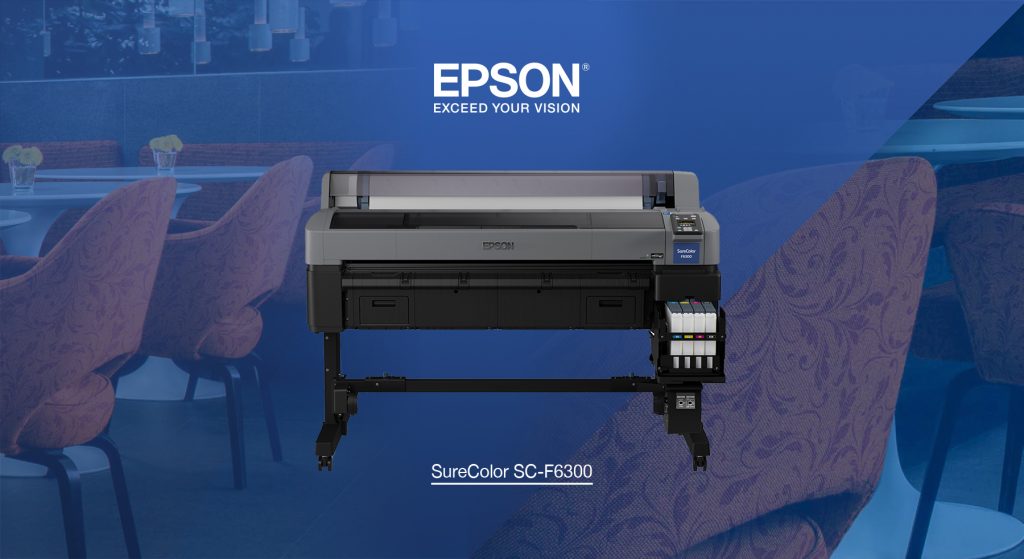
As a professional sublimation printing solution supplier, we all know Epson this brand products have a pivotal position in digital printing market, whatever its printer, spare parts or ink. For dye sublimation printing, Epson company has a series printers specialized in dye sublimation, they named it Epson Surecolor F-series. before, F-series printers including F6200/ F7200/ F9200, last year, it accounanced new F9300, this year, it will unveil a new model—F6300, 44″ width dye-sublimation printer, will coming soon this month.
Epson has unveiled the SureColor F6300, a new dye-sub printer developed for textiles producers, photographic studios and promotional goods businesses.
Building on the success of its predecessor the SureColor SC-F6200, which it is replacing in the market, the SC-F6300 is said to offer improved user productivity and reduced downtime.
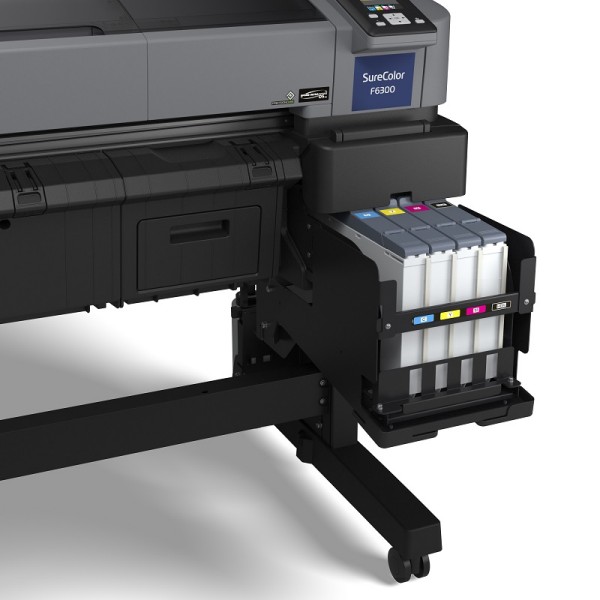
The CMYK device offers print resolution up to 720dpi and features Epson’s latest PrecisionCore piezo printheads that run the manufacturer’s UltraChrome DS inks, which no difference with F6200.
It can handle materials up to 44in (1.1m) wide at speeds of up to 63sqm/hr, speed increased by 10% than F6200,and an optional Epson branded take-up reel that offers more control of take-up quality is also available.
It’s a great product for entry-level dye-sublimation, if you’re talking production of sampling or short-run textile production, whether that’s for interior decor or for fashion but also for rigid media and 3D dye-sublimation if you have a heat press oven alongside it.
Available to order now and with shipping beginning in September, if you are interested in this Epson SC F6300 printer, welcome to consult us. Click: www.skyimagepaper.com
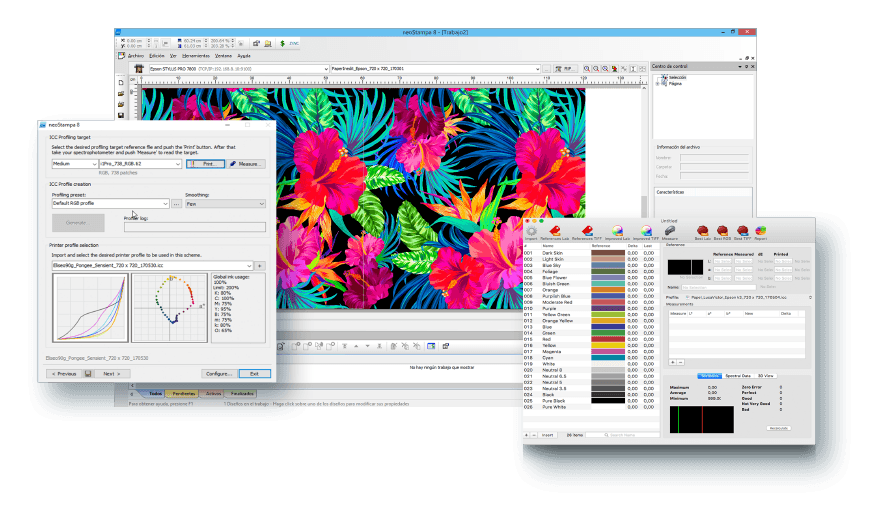
For first time sublimation printers, it is sometimes a challenge to convince them of the benefits of using a third-party RIP software product like Wasatch Softrip or Ergosoft PosterPrint, versus the standard printer driver packaged with their printer.
Why do I need a RIP?
Some large format printers provide some sort of printer driver or rudimentary onboard RIP to convert image file data into a form that your printer can understand. However, most users need more than this in order to achieve anything close to optimal results from their printer. The advantages of a professional RIP fall into two categories: Color and Workflow.
Will a RIP really make your colors brighter and improve your image quality? Is it really necessary to run your printer with a RIP? Can’t you achieve the same results simply by using the included print driver?
In commercial printing environments, an efficient production line is critical to meeting output goals, saving money and time. There are several features that RIP software offers that can streamline your operations including the ability to intelligently arrange images on the page to save paper, file preparation, managing print job order in the queue, and printing in a networked environment. The native drivers included with your inkjet printer typically only supports basic features. And often times, even those basic features can be difficult or cumbersome to use. Furthermore, wide format printers often find that the native drivers do not cut it when it comes to speed, accurate image reproduction and image quality. The bottom line is that printer manufacturers are in the business of manufacturing printers and selling consumables for the printers – they are not in the software business for RIPs.

In contrast, third party RIP software is specifically designed to help users streamline production in the toughest of production environments. Detailed below is a profile of some of the advantages of Wasatch SoftRip RIP Software.
Wasatch SoftRIP optimizes the performance of virtually every large format device available today, in terms of color reproduction, throughput speeds, and workflow efficiency. Wasatch SoftRIP provides interactive previews, control of image size and cropping, color correction, and unmatched control of ICC profiles throughout the entire color workflow. No matter how large or complex your production environment, SoftRIP has the automation tools you need for complete control.
New users can start printing immediately with fast setup and plug-and-play simplicity. Advanced features are easily accessed through master screens and are intuitive so you can learn and use them easily.
Anyone can achieve accurate color with SoftRIP. With 16-bit color rendering and our exclusive Precision Stochastic Screens halftone method, Wasatch achieves excellent color reproduction with perfectly smooth gradients.
Las impresoras Epson son populares en la industria de la impresión debido a su alto rendimiento. Un ejemplo común del cabezal de impresión EPSON es el cabezal de impresión EPSON DX5. Este cabezal de impresión permite mayor velocidad y resoluciones de alta velocidad de impresión con sus tintas eco solventes. Los cabezales de impresión solventes DX5 Eco utilizan tinta de alta calidad para garantizar una impresión de alta calidad.
Con el tiempo, la Epson DX5 ha sido el tipo más utilizado para impresoras de gran formato, especialmente funciona mejor en impresoras UV. Pero eso no significa que, en lo que respecta a la compra del cabezal de impresión Epson DX5, no haya ningún problema. Porque hay cabezales Epson DX5 bloqueados y desbloqueados existentes en el mercado. Y los desbloqueados se dividen en 1er encriptado y 2do encriptado.

¿Por qué bloquear el cabezal de impresión Epson DX5?
En el año de 2012, para proteger las ventas de impresoras de Epson, Epson agregó un código de cifrado en la placa de memoria DX5 para evitar que las marcas y modelos de impresoras nacionales lo usen. Pero los cabezales de impresión bloqueados causan errores de impresión con frecuencia y no se imprimen en absoluto. Aún así, estos cabezales de impresión inutilizables son vendidos por fabricantes sin escrúpulos en el mercado.
Cabezal de impresión Epson DX5 desbloqueado
Varios meses después, un ingeniero emprendedor desarrolló una tarjeta de memoria que eliminó el código y desbloqueó el cabezal de impresión, haciéndolo utilizable nuevamente. Se refieren a ellos como cabezas “bloqueadas por primera vez”.
Sin embargo, Epson encontró formas de bloquear el cabezal de impresión Epson DX5 nuevamente, y eso es “segunda vez bloqueado”. Esa es la razón de los cabezales de impresión DX5 bloqueados y desbloqueados en el mercado.
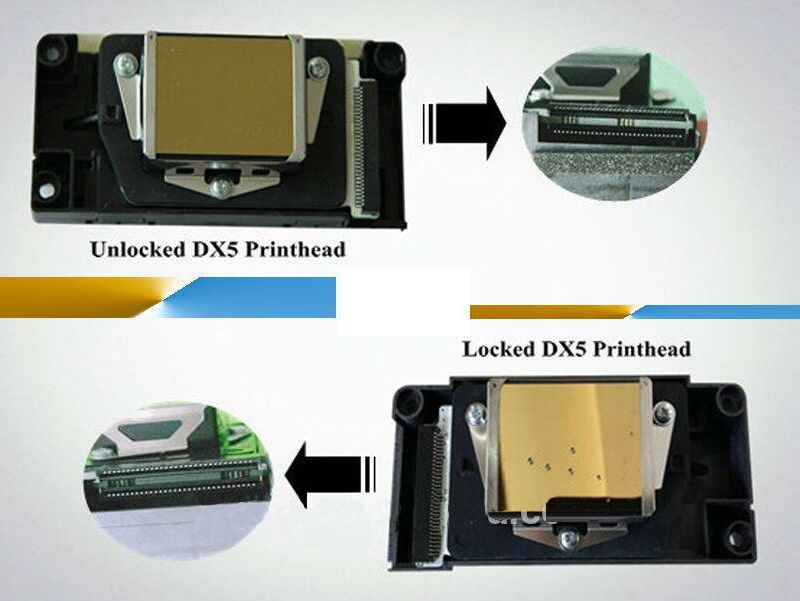
Saber cuál es el cabezal de impresión correcto
Comprar un cabezal de impresión bloqueado puede ser un error costoso, entonces, ¿cómo podemos identificar la DX5 bloqueada y desbloqueada?
Hay una manera fácil de detectar DX5 desbloqueado al comprar, que es a través del diseño del conector para el cabezal de impresión.
Un cabezal de impresión bloqueado tiene contactos en cada borde, mientras que el desbloqueado tiene contactos en el medio.
La brecha entre ellos también es diferente.
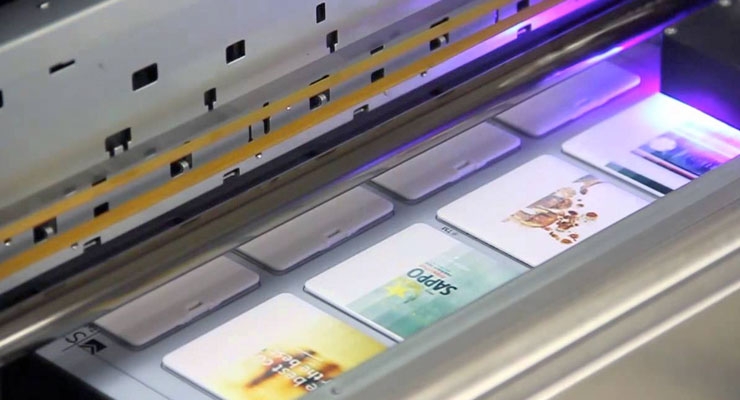
In English, “pass” means “passing”. Will “pass” in the printing device be straightforward?! It can be said here, no. In the printing industry, “pass” refers to the number of times the screen needs to be printed (the number of masks per unit area). The higher the PASS number, the slower the printing speed, and the better the relative quality. Otherwise, the uv printer is usually used. In inkjet printing equipment, 6pass and 4pass printing are more common. For example, if you play a 4PASS map, each pixel needs to be divided into 4 masks to print. Usually, adding PASS number can improve the picture quality. PASS means that the printout is completed when printing. The inkjet is a line printing method, 4PASS is 4 times printing, and so on.
A few passes of inkjet is required to complete the print area. Different stacking points for different pass points will be different, and the colors will be different. PASS usually has controllable options on the relevant uv printer and printer control software. For example, the RIP printing software of the uv printer can print the PASS according to the needs of the user. Output a perfect picture effect. The PASS number is related to the printing accuracy, and the difference in the printing accuracy PASS number is different.

How to solve the phenomenon of pass channel drawing in uv inkjet printer?
The difference is the PASS road, or the disconnection. If you don’t understand these two concepts, there is no way to provide assistance. When you say the PASS channel, please stop printing immediately, and then print the test strip directly. If it is broken, look at the broken colors. If the broken color is the color of the margin part of the nozzle, you can think about it. The pump composition does not match print head, and the orientation of the two can be adjusted according to the specific situation. If the ink-breaking method is used in the middle of the nozzle, the pipeline should be considered, especially if the ink capsule is used for a long time. maybe the ink sac and the nozzle’s socket are not tight enough, there is a leaky scene? Maybe your ink may be of poor quality (some inks are not very fluid and will break the ink)

The more uv printer nozzles, the faster printing speed?
Here you can tell you very clearly that the number of print heads has nothing to do with the speed; the machine trolley is printed laterally, the firing frequency of the nozzle determines the printing speed, and the increase of the nozzle only increases the color and picture effect; and adds a nozzle need to redesign the board, reload the program, operate the software, etc.; the price from the cost, labor, etc., compared to the previous selling price, will make it difficult for customers to accept, so there are generally technical, machine manufacturers It will be said that increasing the nozzle will increase the speed.
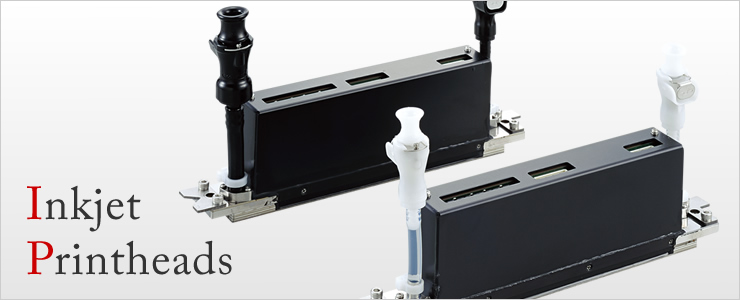
Now the fastest printing UV-LED wide format printer in the industry is Kyocera high speed print head, but the price is high. Relatively speaking, the cost performance and stability are better than the Ricoh G5 nozzle.
Epson nozzle:
Advantages: high precision;
Disadvantages: slow speed, high failure rate, unclear transition color, unstable life (2-12 months);
Applicable: small-volume processing, personalized custom product printing.

Konica nozzle:
Advantages: high precision, fast speed, full transition color, strong color gradation (gray level change point printing technology), repairable, plastic case (insulation);
Disadvantages: plastic casing (not resistant to wear, please pay attention to transportation), high price;
Applicable: inkjet printing of various materials.
Polaris nozzle:
Advantages: fast speed, all stainless steel (anti-fall, easy to transport), repairable, detachable;
Disadvantages: low precision and high price;
Applicable: textile fabric, wallpaper and other types of inkjet.
Seiko nozzle:
Advantages: All steel, the nozzle has anti-collision steel ring, the price is low;
Disadvantages: low precision, more inkjet (high cost), gradation color is not clear (gray level change point printing technology), printed pattern is obvious (PS channel);
Applicable: no precision requirements, no delicate effects, large-format advertising, a type of inkjet.
Ricoh nozzle:
Advantages: high precision, fast speed, full gradient, strong layering (gray level change point printing technology), all stainless steel, one color;
Disadvantages: high price;
Applicable: inkjet printing of various materials.
Note: [Ricoh is because of its high precision, so it is used to replace Epson printheads, and enter the UV industry] Ricoh This nozzle is special in the UV machine industry. At the beginning (2014), Ricoh G4 is a nozzle in this industry. , a color, and unstable, there will be deviations in the color of the spray, the cable is easy to burn out, etc.; now Ricoh G4 and G5 are a first two colors, stability has been greatly improved, no In the previous situation, when buying a machine, be sure to ask the manufacturer that their G4 nozzles are sprayed with a few colors. Do not buy the wrong unstable products.
You cannot do a DTG print on polyester?
The truth is that some polyester is printable and the future is bright.
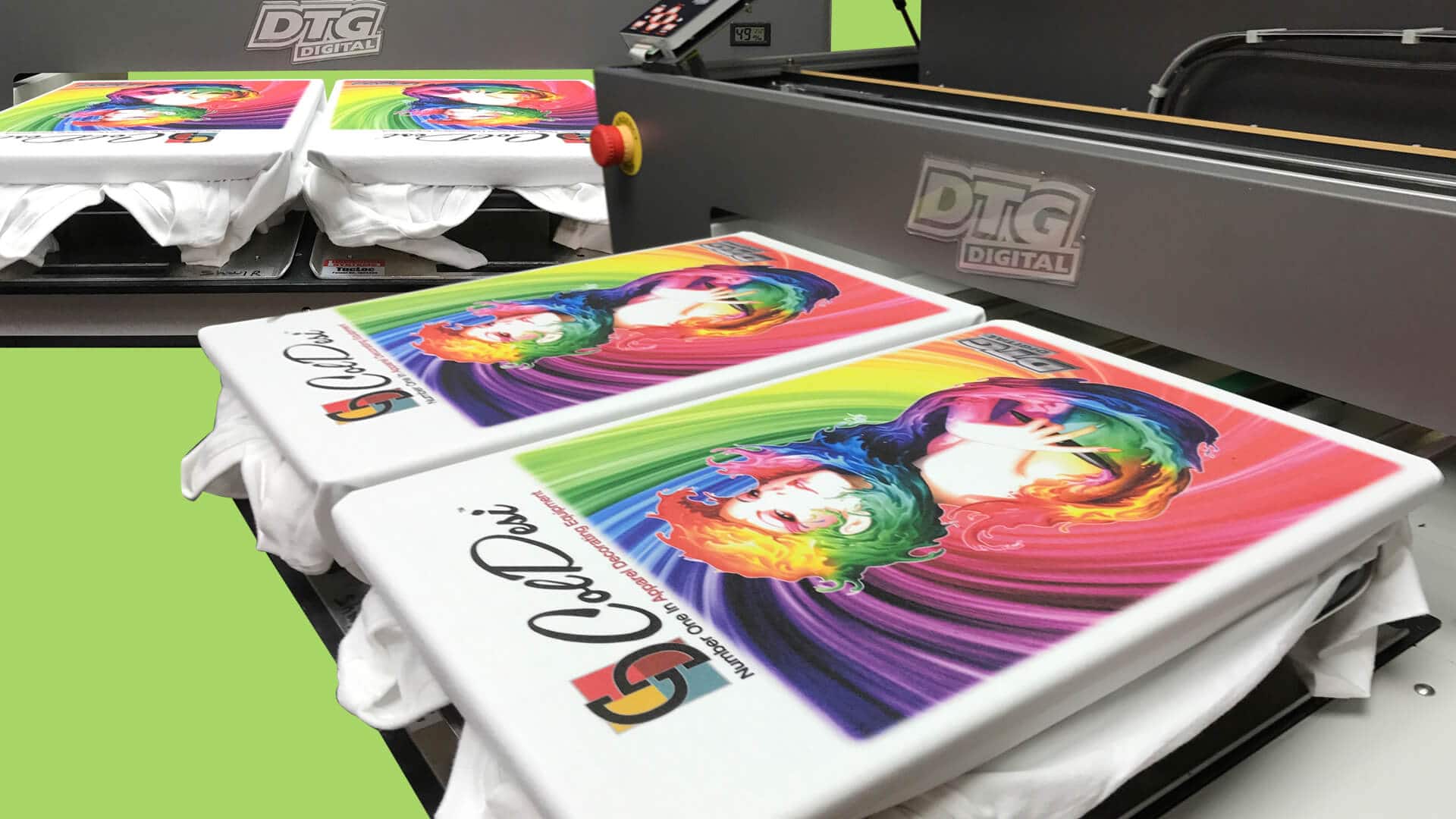
Yes, DTG printing is best suited for 100% cotton and blends with high cotton content. But, successfully embellishing white polyester garments on a DTG printer has been done for quite some time. It’s as simple as applying polyester pretreatment and decorating with a CMYK image. The result looks like a sublimation print.
Color garments have been more of a challenge, but not impossible. Dye migration can occur at a DTG print’s common curing temperature. This happens when the polyester fabric’s dye is released into the ink. White ink on a red shirt will result in a pink image. Screen printers have resolved this issue with low-cure-temperature inks.
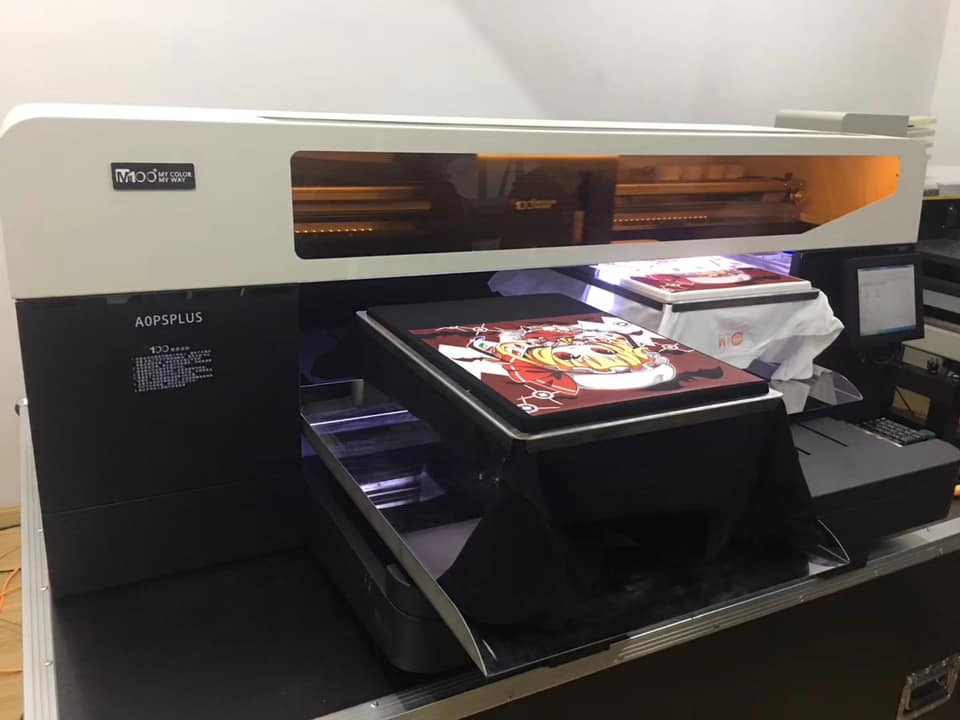
With DTG — just as with cotton garments — some dark-polyester products print better than others. Printing a dark-polyester garment requires applying a light coat of polyester pretreatment, drying and repeating. The shirt can then be printed like normal. After printing, it should be heat set at 265˚F for 45 seconds, cooled and cured twice. This technique may vary with specific garments and ink systems, so experimentation is mandatory.
This multistep process is a bit tedious, but it tells us that polyester printing with a DTG printing machine is not only possible, but also is being done today. The process will become simpler and more commonplace in the near future.

Mimaki CJV Series is available in three models: CJV30, CJV150 and CJV300, wide-format, high-speed eco-solvent printer/cutter devices go beyond extraordinary to deliver an amazing array of applications. Eco solvent inks in a variety of colors – including Silver – and advanced printing technologies means you can produce anything from fine art reproductions to outdoor signage. And, with precision cutting capability on board you can go beyond posters and banners to deliver complete campaigns that include prints for small or large labels, decals and even T-shirt transfers. Employing the Mimaki CJV Series printers’ superb quality, color fidelity, throughput and contour cutting then printing flexibility, you’ll go beyond the expected to capture more wallet share and deliver whatever your customers can imagine.
With dye sublimation inks:
• Flags
• Fashion & Sportswear
• Promotional Exhibition soft signage
• T-shirt transfer and more…
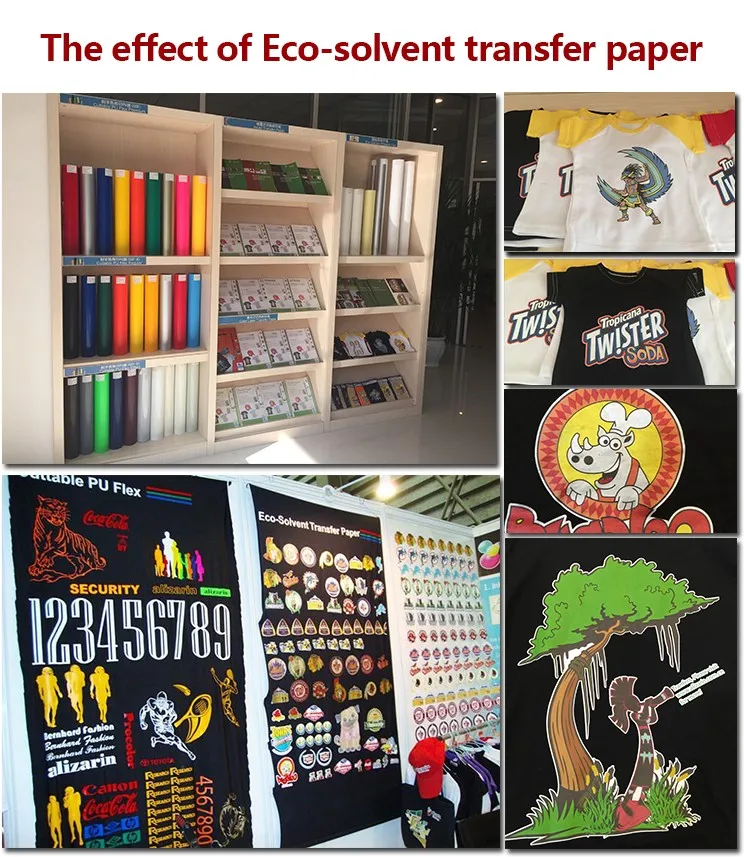
With eco solvent inks:
• Signage
• Vehicle graphics
• Point-of-purchase displays
• Banners
• Posters
• Exhibition graphics
• Window clings, and more…
While the UCJV Series is available in two models: the four-color UCJV150-160, and the UCJV300-160, is a versatile inkjet printer having a combined function of both printing and cutting mounted with UV-curable ink, which can print up to seven ink colors. UV-LED curing technology enables to print media including thin film substrates that may be too sensitive for latex or solvent high heat fixation systems.
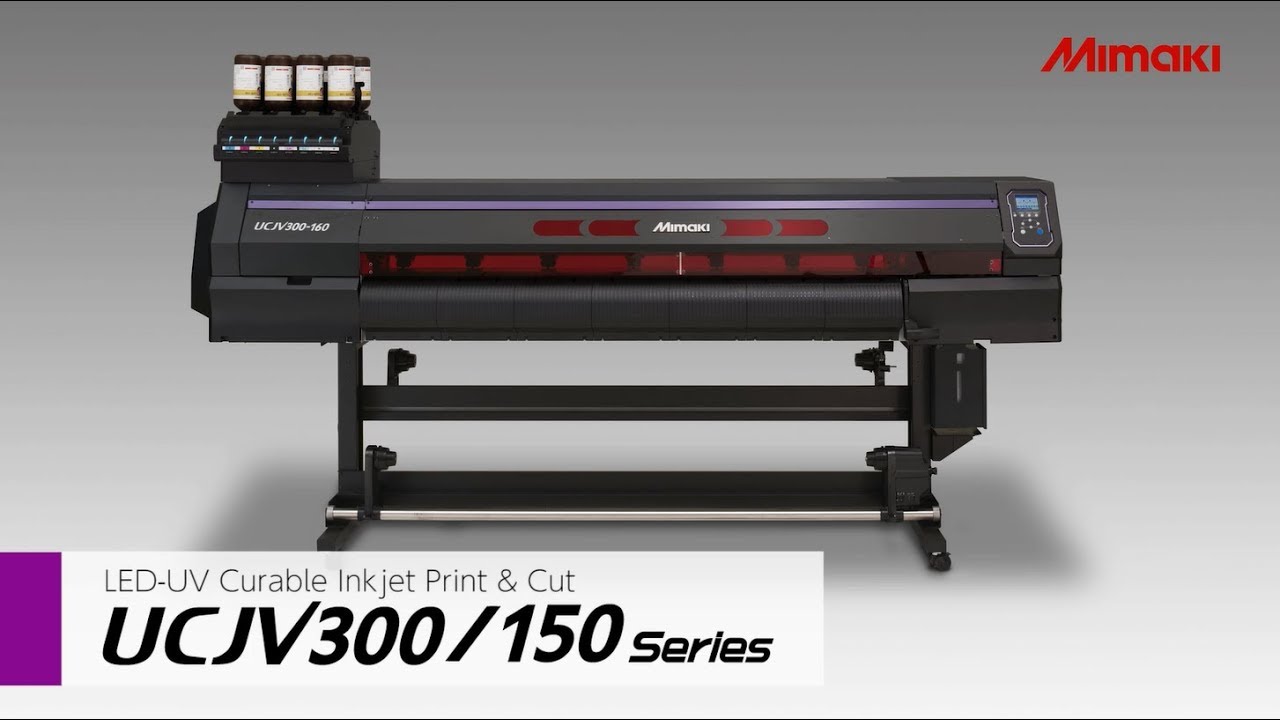
Some of the applications it may print onto are:
• Backlit and day/night displays
• Signage
• Point-of-purchase displays
• Banners
• Posters
• Exhibition graphics
• Window clings
• Packaging

 CecileのBlogger